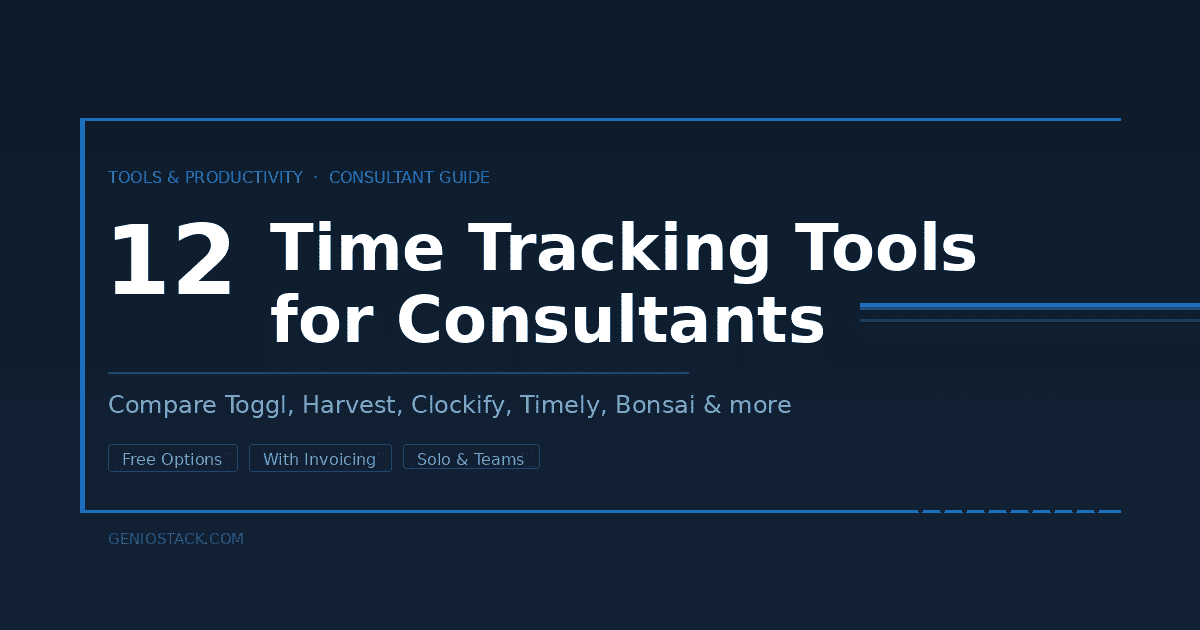
The best time tracking software for consultants includes Toggl Track, Harvest, Clockify, Timely, FreshBooks, Hubstaff, Everhour, Paymo, Avaza, My Hours, TimeCamp, and Bonsai. The right choice depends on whether you need invoicing built in, team features, or a free plan. Most consultants bill more accurately within the first week of switching from manual tracking.
You’re billing a client for a strategy session. It ran 90 minutes. Or was it 95? You had a 12-minute follow-up call two days later that you meant to log but didn’t. There was also the email thread. That took time, too — maybe 20 minutes, scattered across three days.
By the time you write the invoice, you’re estimating. And if you’re estimating, you’re almost certainly undercharging.
Time tracking software for consultants isn’t a productivity gimmick. It’s a revenue tool. The difference between a consultant who knows exactly how they spent their week and one who guesses is often measured in hundreds of dollars per month — money that’s already been earned, just never captured.
This guide covers 12 tools worth your attention, with honest notes on where each one excels and where it falls short. No filler, no padded feature lists. Just enough to make a real decision.
The right tool won’t just track time — it’ll change how you think about the value of yours.
Table of Contents
Why Most Consultants Are Leaving Money on the Table
Here’s the thing. Most consultants track time the same way they did when they started out — a spreadsheet, a phone timer, or a rough mental tally at the end of the day. It works until it doesn’t.
The problem isn’t discipline. It’s friction. The harder it is to log a task the moment it happens, the more likely you are to skip it. And those skipped minutes compound. According to research cited by the Harvard Business Review, professionals who track time manually tend to underreport billable hours by 10–20% compared to those who use automated tools. For a consultant billing $150/hour, that’s potentially $3,000–6,000 per year quietly disappearing.
A dedicated consulting time tracking app removes most of that friction. The best ones run in the background, remind you when you forget, and connect directly to your invoicing so that nothing gets lost between “time logged” and “invoice sent.”
The question isn’t whether you need one. It’s which one actually fits how you work.
What to Look for Before You Pick a Tool
Not every time tracker is built with consultants in mind. Some are designed for large agencies with project managers. Others are aimed at freelancers who invoice in fixed blocks. Consultants live somewhere in between — project-based, client-facing, often working alone but sometimes managing subcontractors.
Before comparing tools, nail down four things:
Do you need invoicing built in, or do you already have that covered? Tools like Harvest and Bonsai handle the whole billing workflow. If you use QuickBooks or FreshBooks separately, you may only need the tracking layer.
Are you billing hourly, project-based, or retainer? Some tools handle hourly elegantly but get clunky with fixed-fee projects. Others are built around project budgets. Know which model dominates your work.
Do you track alone or with a team? Solo consultants have different needs than those managing associates or subcontractors. Multi-seat pricing and approval workflows only matter if someone else is logging hours for you.
What’s your real tolerance for setup? A tool with brilliant automation that takes three hours to configure is useless if you’ll abandon it in week two.
With those filters in place, here’s where each tool fits.
The 12 Best Time Tracking Tools for Consultants
1. Toggl Track — Best for Getting Started Without Overthinking It
Toggl Track is the gateway drug of time tracking. The interface is clean to the point of feeling almost too simple — but that simplicity is deliberate and earned. You start a timer, label the task, assign it to a project. Stop the timer. That’s it.
What makes it work for consultants: The one-click timer works on desktop, mobile, and browser extension. If you switch tasks without stopping the clock, it asks. If you forget to track, you can add entries manually with timestamps. The reports are readable without being overwhelming.
Where it falls short: Invoicing is not built into Toggl Track’s core plan. You’ll need to export data and bill elsewhere unless you upgrade or connect it to a separate tool. It’s a tracker first, billing tool second — or not at all.
Best for: Solo consultants who want to form the habit of tracking before worrying about anything else. Also solid for those who already have an invoicing system they like.
Free tier: Yes, up to 5 users. Paid plans start around $9/user/month.
2. Harvest — Best for Consultants Who Want Tracking and Invoicing in One Place
Harvest has been around long enough that its polish shows. Time tracking, invoicing, expense tracking, and team reporting all live inside one interface that doesn’t feel like it was bolted together from separate products.
What makes it work for consultants: You log time, Harvest turns it into a draft invoice with a few clicks. Clients can approve and pay online. You get notified when they do. That loop — from tracking to payment — is tighter in Harvest than almost any other tool on this list.
Where it falls short: The free tier is limited to one user and two projects, which many working consultants will outgrow immediately. The paid plan is straightforward, but if you’re managing large teams across dozens of projects, you may bump into limitations around reporting depth.
Best for: Independent consultants and small consulting firms who want one tool that handles both time and billing without needing three integrations to make it work.
Free tier: Yes (1 user, 2 projects). Paid plan is $12/user/month.
3. Clockify — Best Free Time Tracking Software for Consultants
If budget is the constraint, Clockify is hard to argue with. It’s genuinely free — not a trial, not a stripped-down version — for unlimited users and unlimited projects.
What makes it work for consultants: The core tracking features are solid. You get project-level tracking, client assignment, timer and manual entry, and basic reporting. It integrates with over 50 apps. For a consultant just getting off a consultant time tracking Excel spreadsheet, it’s a massive upgrade at zero cost.
Where it falls short: The free version doesn’t include invoicing, budgeting, or billable rate management — those live behind paid tiers. The interface, while functional, doesn’t feel as refined as Harvest or Toggl. And the sheer number of features can create visual clutter that slows you down.
Best for: Consultants who need more than a spreadsheet but aren’t ready to pay monthly for a tracker. Also great for those who want to experiment before committing.
Free tier: Yes, genuinely unlimited. Paid plans start around $3.99/user/month.
4. Timely — Best for Consultants Who Forget to Track
Timely works differently from every other tool on this list. Instead of asking you to start and stop timers, it runs in the background and automatically records everything you work on — every app, document, meeting, and browser tab — throughout the day.
You then review the automatic log, drag activities into projects, and confirm what was billable. It’s closer to time reconstruction than time tracking.
What makes it work for consultants: If you’re the kind of person who does deep work for two hours and forgets to hit record, Timely covers you. According to Timely’s own research, users recover an average of one additional billable hour per day compared to manual tracking — a meaningful difference for hourly consultants.
Where it falls short: The automatic tracking means Timely has access to your activity data. For consultants working with sensitive client information, that’s a privacy consideration worth taking seriously. It also costs more than most options here.
Best for: Consultants who know they undertrack and want a safety net. Not for those who are particular about privacy or prefer a lightweight setup.
No free tier. Plans start around $9/user/month (Memory feature included).
5. FreshBooks — Best for Consultants Who Think in Invoices
FreshBooks started as accounting software and added time tracking later — which sounds like a criticism but is actually its strength. If your brain organizes work by invoice and client rather than by task and project, FreshBooks’s structure will feel intuitive immediately.
What makes it work for consultants: Log time directly on a client or project, then turn it into a polished invoice in one click. Expenses, contracts, proposals, and late payment reminders are all built in. It’s a complete billing platform with time tracking attached.
Where it falls short: The time tracking UI is not as fast or frictionless as dedicated trackers like Toggl or Clockify. If you’re doing many short tasks across multiple clients in a single day, switching projects in FreshBooks can slow you down. It’s better for consultants with a smaller number of active clients.
Best for: Consultants who want their tracker and their accounting in one tool and don’t mind a slightly heavier interface.
No free tier. Plans start around $15/month.
6. Hubstaff — Best for Consulting Teams with Remote Staff
Hubstaff was built for distributed teams, and it shows. GPS tracking, screenshots, app monitoring, and payroll integrations all sit alongside standard time tracking — features that only matter if you’re managing people, not just yourself.
What makes it work for consultants: If you run a boutique consulting firm with employees or regular contractors, Hubstaff’s team management features are genuinely useful. You can see utilization by person, approve timesheets, and connect directly to payroll. The automated tracking also reduces manual entry overhead for the whole team.
Where it falls short: For solo consultants, Hubstaff is overkill — and its surveillance-oriented features (screenshots, activity monitoring) can feel uncomfortable even when you’re using them on yourself. The interface prioritizes team management over individual usability.
Best for: Consulting firms managing remote associates or subcontractors who need accountability as well as tracking.
Free tier: Yes, for 1 user. Paid plans start around $7/user/month.
7. Everhour — Best for Consultants Already Using Project Management Tools
Everhour doesn’t try to replace your project management software. Instead, it plugs directly into Asana, Trello, Jira, Basecamp, and similar tools and adds time tracking directly inside them.
What makes it work for consultants: If your work already lives in a project management tool, Everhour means you never have to leave it to log time. You see time estimates next to tasks, track against them in real time, and generate reports without moving data anywhere.
Where it falls short: Everhour’s value is almost entirely dependent on already using one of its supported integrations. As a standalone tracker, it’s average. It also has no free tier.
Best for: Consultants who live inside Asana or similar tools and find context-switching to a separate timer the biggest friction point.
No free tier. Plans start around $8.50/user/month.
8. Paymo — Best All-in-One for Project-Based Consultants
Paymo sits in an interesting middle ground: it’s not as lightweight as Toggl, not as accounting-heavy as FreshBooks, but it covers project management, time tracking, invoicing, and client communication in one place.
What makes it work for consultants: The project management layer is genuine — you can plan work, set deadlines, assign tasks, and track time against each one. Invoicing pulls from tracked time automatically. For consultants who manage complex engagements with multiple deliverables, Paymo’s structure maps well to that reality.
Where it falls short: The interface has more moving parts than most consultants need. If your work is mostly meeting-heavy consulting rather than deliverable-based project work, much of Paymo’s functionality will go unused.
Best for: Consultants who bill hourly on deliverable-based projects and want everything from scoping to invoicing in one place.
Free tier: Yes, for 1 user. Paid plans start around $5.90/user/month.
9. Avaza — Best for Consultants Running Small Teams on a Budget
Avaza combines project management, time tracking, expense reporting, and invoicing at a price point that won’t make a small consultancy wince. It’s less polished than Harvest but more capable in ways that matter for team billing.
What makes it work for consultants: Resource scheduling and team utilization views give small consultancies a clearer picture of who’s over- or underloaded. Expense tracking and client approval workflows are both built in. For a 2–10 person consulting team, it punches well above its price.
Where it falls short: The interface feels dated in places, and the mobile app experience lags behind the desktop. Setup takes more time than more opinionated tools.
Best for: Small consulting firms that need project, time, and billing features without paying enterprise prices.
Free tier: Yes (limited). Paid plans start around $11.95/month for unlimited users at certain tiers.
10. My Hours — Best for Detailed, Client-Facing Reporting
My Hours doesn’t have the brand recognition of some others on this list, but consultants who discover it tend to stick with it. The reporting layer is exceptional — detailed, flexible, and easy to share directly with clients who want transparency on how their budget is being used.
What makes it work for consultants: You can build custom reports with your own branding, filter by date range, task type, or billing status, and send them directly to clients. For consultants who manage retainer relationships where clients want accountability, this is a genuine differentiator.
Where it falls short: Invoicing is available but limited compared to Harvest or FreshBooks. Some users also report the mobile app to be less intuitive than the desktop version.
Best for: Consultants on retainer who need to demonstrate value through transparent time reporting.
Free tier: Yes, for up to 5 users. Paid plan is around $8/user/month.
11. TimeCamp — Best for Automatic Tracking Without the Privacy Overhead
TimeCamp offers automatic time tracking similar to Timely but with more control over what gets recorded. You can set rules for how different applications and websites are categorized, giving you the benefit of automation without feeling like you’re under surveillance.
What makes it work for consultants: The automatic keyword-based tracking is genuinely smart — it can recognize that a document titled “Client A — Strategy” belongs to a specific project and assign it accordingly. Integration with billing tools like QuickBooks and invoicing tools is built in.
Where it falls short: The interface requires some upfront configuration to get the rules right. Getting the automation to correctly categorize your specific workflow takes time investment at the start.
Best for: Consultants who want automatic tracking but prefer more control over what gets recorded than Timely offers.
Free tier: Yes, unlimited users. Paid plans start around $2.99/user/month.
12. Bonsai — Best for Independent Consultants Managing the Full Business
Bonsai is built specifically for freelancers and independent consultants — not as a feature compromise but as a design decision. Contracts, proposals, project tracking, time tracking, invoicing, and taxes live inside one platform designed around how solo professionals actually work.
What makes it work for consultants: The contract and proposal flow is particularly strong. You can move from “send proposal” to “sign contract” to “log hours” to “send invoice” without ever leaving the app. For independent consultants who do all of their own business administration, that end-to-end coherence saves real time.
Where it falls short: It’s not designed for teams. If you hire subcontractors regularly or manage staff, Bonsai’s limitations become visible fast. The time tracking module is also less refined than dedicated trackers like Toggl.
Best for: Independent consultants who want a single tool to manage their entire client relationship, not just hours.
No meaningful free tier. Plans start around $17/month.
Head-to-Head Comparison: Which Tool Fits Your Situation
| Tool | Best For | Invoicing Built In | Free Tier | Starts At |
|---|---|---|---|---|
| Toggl Track | Solo consultants, habit building | No (export only) | Yes | ~$9/user/mo |
| Harvest | Tracking + billing in one | Yes | Yes (limited) | $12/user/mo |
| Clockify | Budget-conscious consultants | Paid tiers only | Yes (unlimited) | Free / $3.99/user/mo |
| Timely | Consultants who undertrack | No | No | ~$9/user/mo |
| FreshBooks | Invoice-first workflow | Yes (core feature) | No | ~$15/mo |
| Hubstaff | Consulting firms with teams | Yes | Yes (1 user) | ~$7/user/mo |
| Everhour | PM tool users (Asana, Jira) | Yes | No | ~$8.50/user/mo |
| Paymo | Project-based consultants | Yes | Yes (limited) | ~$5.90/mo |
| Avaza | Small consultancies on budget | Yes | Yes (limited) | ~$11.95/mo |
| My Hours | Retainer + client reporting | Limited | Yes (5 users) | ~$8/user/mo |
| TimeCamp | Automatic tracking with control | Yes | Yes (unlimited) | ~$2.99/user/mo |
| Bonsai | Solo full-business management | Yes | No | ~$17/mo |
Pricing is approximate and subject to change. Always confirm current rates on each tool’s official website.
The One Thing Most Consultants Get Wrong When Choosing a Tracker
Here’s what most guides don’t mention: the best time tracking tool is the one you’ll actually use on a Tuesday afternoon when you’re tired and behind on three things.
That sounds obvious. It rarely plays out that way.
Most consultants choose a tool based on its feature list and then abandon it within a month because the friction was too high. A tool that requires four clicks to start a timer will lose to muscle memory every single time. A tool that requires configuration you never finished will stay broken.
The practical test: Pick a tool and use it for exactly one work week before evaluating anything else. Track every task, including the small ones. At the end of the week, look at the report. If it accurately reflects how you spent your time, the tool is working. If it’s full of gaps and estimates, either the tool has too much friction or your habits need adjusting — and you’ll be able to tell which one.
One week of real data tells you more than any feature comparison.

What About Consultant Time Tracking in Excel?
A consultant time tracking Excel spreadsheet is not a bad starting point. It’s a terrible ending point.
Spreadsheets work until they don’t — and they stop working the moment you have more than two or three active clients, irregular hours, or any need to generate an invoice quickly. They require manual discipline, offer no reminders, and can’t distinguish billable from non-billable time without formulas you’ll eventually break.
The real cost of staying on a spreadsheet isn’t the tool itself. It’s the 10–15 minutes per day you spend reconstructing what you did instead of moving to the next task. Over a working year, that’s close to 40 hours — an entire week of work spent doing something a $10/month subscription handles automatically.
If a spreadsheet is what you have right now, it’s fine. But treat it like a temporary solution with a planned replacement, not a permanent system.
What is the best free time tracking software for consultants?
Can I track time across multiple clients without things getting messy?
Is Timely actually worth the cost compared to manual tracking?
Do I need time tracking software with invoicing built in, or can I use separate tools?
What’s the difference between a consulting time tracking app and regular time tracking software?
Is it worth switching from a spreadsheet to a dedicated app?
Can time tracking software help me raise my rates?
Closing Thoughts
Choosing the right time tracking tool comes down to three things: how you bill, how disciplined you are about logging, and whether you need invoicing in the same place.
If you’re solo and billing hourly, Toggl Track or Harvest will cover most of what you need. If you’re running a small team, Hubstaff or Paymo gives you the visibility you can’t manage manually. If budget is the barrier, Clockify removes it entirely.
What matters most isn’t which tool has the longest feature list. It’s which one you’ll actually open at 2pm on a Thursday when you’re between calls and have three things to log.
That one habit — logging as you go instead of reconstructing at the end of the week — is worth more than any premium feature. The tool just needs to make it easy enough to stick.
If you’re building a consulting practice where every hour counts, there are more tools and frameworks worth knowing about at Geniostack.com.