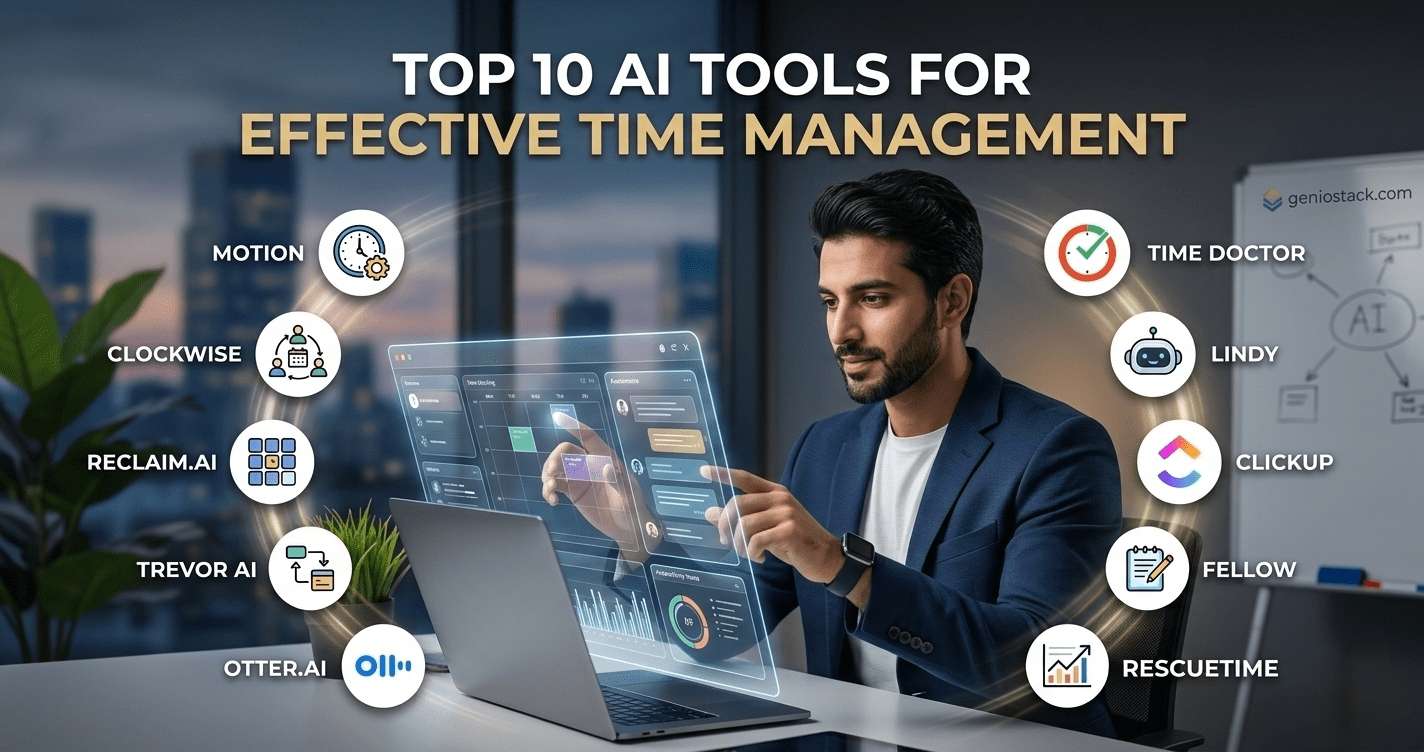
The best AI for task management tools and platforms use machine learning to auto-prioritize tasks, generate smart schedules, resolve calendar conflicts, and adapt to your workload in real time—replacing manual planning with intelligent automation.
You open your to-do list on a Monday morning. There are 34 items. Three meetings have overlapping times. A deadline got quietly moved. And you have no idea where to start.
This is not a productivity problem. It is a planning infrastructure problem — and artificial intelligence is solving it faster than any productivity hack or paper planner ever could.
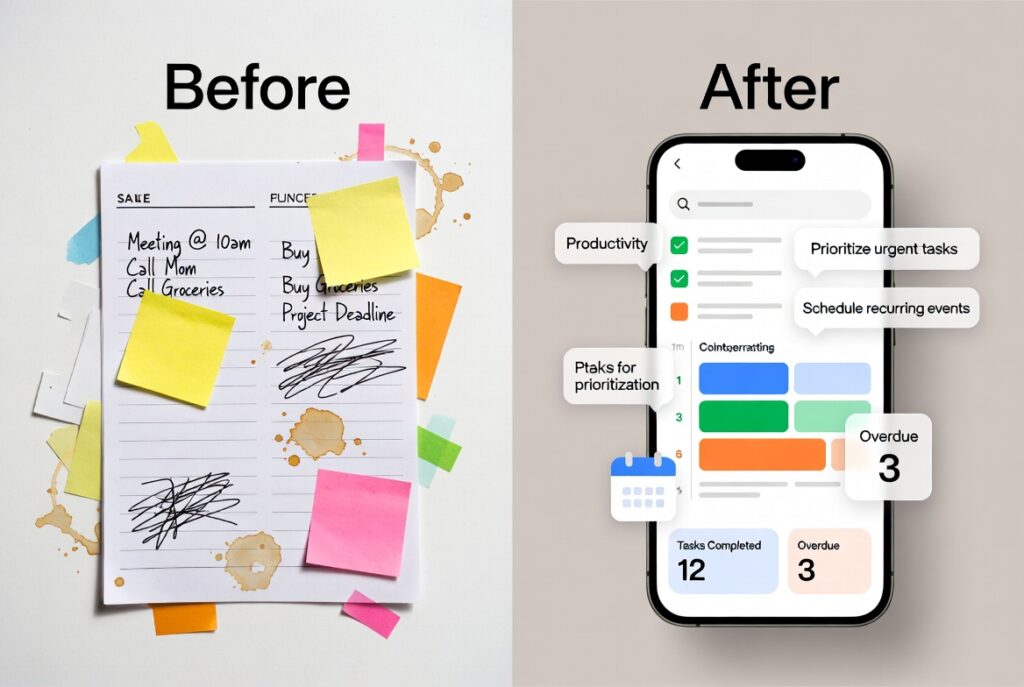
AI for task management has matured beyond simple reminders and colour-coded labels. Today’s tools analyse your calendar, learn your work patterns, detect conflicts before they happen, and dynamically reschedule your entire week when priorities shift. Whether you are a solo freelancer, a team lead managing a distributed workforce, or a developer trying to protect deep-work time, there is an AI scheduling tool built for your workflow.
This guide covers the top 10 AI task management tools available right now — including free options — ranked by capability, use case fit, and real-world usability. By the end, you will know exactly which tool matches your workflow and how to start using it today.
Key takeaway: The right AI task manager does not just organise your work — it thinks ahead so you do not have to.
Table of Contents
What Is AI for Task Management?
AI for task management refers to software that uses artificial intelligence — including machine learning, natural language processing, and predictive algorithms — to help individuals and teams plan, prioritise, schedule, and complete tasks more efficiently. Unlike traditional to-do apps, AI-powered tools adapt dynamically to your workload, deadlines, and calendar data.
The difference is not just automation. It is intelligence. A standard app lets you add a task. An AI task manager tells you when to do it, warns you if it conflicts with something else, and reschedules it automatically when your day derails.
Why AI Scheduling Tools Are Replacing Traditional Planners
Manual planning has a fundamental flaw: it does not update itself. You block two hours for deep work, then a meeting lands in the middle of it. You add a task with a deadline, then forget to account for three other tasks competing for the same afternoon. Human planners cannot process dozens of variables simultaneously — but AI can.
Key insight: Research from McKinsey indicates that workers spend nearly 28% of their workweek managing email and scheduling — time that AI tools are specifically designed to reclaim.
AI scheduling tools solve this by:
- Automatically detecting scheduling conflicts and offering alternatives
- Prioritising tasks based on deadline urgency, estimated effort, and available time slots
- Learning your preferred deep-work windows and protecting them
- Syncing across calendars, project tools, and communication apps in real time
- Generating a full daily or weekly schedule from a raw task list
In practice, teams that adopt AI scheduling tools consistently report reclaiming between 30 minutes and two hours of productive time per day — not by working harder, but by eliminating the cognitive overhead of constant re-planning.
How to Choose the Right AI Task Manager
Before diving into the tool list, it helps to know what to look for. Not every AI task manager serves the same use case.
What to look for in an AI task management tool:
Scheduling intelligence — Does the tool auto-schedule tasks, or just list them? True AI scheduling means the tool places tasks in your calendar based on priority, duration, and availability — not just when you manually drag them.
Calendar integration depth — Look for two-way sync with Google Calendar, Outlook, or Apple Calendar. One-way import is not enough for dynamic rescheduling.
Natural language input — The best AI task manager apps let you type “send proposal by Thursday afternoon” and interpret deadline, context, and priority automatically.
Team vs. solo use — Some tools (ClickUp, Asana) are built for teams with shared boards and collaboration. Others (Motion, Akiflow) are designed for individual productivity. Match the tool to your actual use case.
Free tier availability — Several strong free AI scheduling tools exist. If budget is a constraint, Any.do, Todoist, and Notion AI offer usable free tiers.
Learning curve — More powerful tools often require more setup. Motion, for example, takes a few days to calibrate to your schedule before it becomes fully accurate.
Top 10 AI Tools for Task Management and Scheduling
Quick Comparison Table
| Tool | Best For | Free Plan | AI Scheduling | Starting Price |
|---|---|---|---|---|
| Motion | Autonomous daily scheduling | No | Yes (fully automatic) | ~$19/month |
| Reclaim.ai | Habits + meeting defence | Yes (limited) | Yes | Free / ~$8/month |
| Todoist AI | Simple task lists with AI | Yes | Partial | Free / ~$4/month |
| ClickUp AI | Team project management | Yes | Yes (add-on) | Free / ~$7/month |
| Notion AI | Knowledge + task hybrid | Yes | Partial | Free / ~$10/month |
| Asana Intelligence | Enterprise teams | No | Yes | ~$10.99/month |
| Akiflow | Focus + deep work | No | Yes | ~$14.99/month |
| Sunsama | Daily intentional planning | No | Partial | ~$16/month |
| Any.do | Beginners and individuals | Yes | Basic | Free / ~$5/month |
| Microsoft Copilot | Microsoft 365 ecosystem | No | Yes (via Outlook) | Included in M365 |
Winner column: “Best overall AI scheduling” → Motion | “Best free AI scheduling tool” → Reclaim.ai free tier
- Motion — Best for Fully Autonomous Daily Scheduling
Motion is the closest thing to handing your calendar to an AI assistant and walking away. It builds your entire daily schedule automatically based on your tasks, deadlines, meeting load, and priority settings. When something runs long, or a new task appears, Motion rebuilds the schedule on the fly.
What makes it stand out: Motion does not ask you where to put a task. It decides — and it recalculates every time your day changes. For professionals who context-switch frequently or carry 20+ active tasks at once, this is transformative.
In practice, users report that Motion cuts daily planning time from 30–45 minutes to near zero after the first week of use. The trade-off is a steeper setup: you need to input task durations and deadlines accurately for the AI to schedule well.
Pros: Fully automated scheduling, deep calendar integration, and handles complex multi-deadline workloads. Cons: No free plan, can feel rigid if you prefer manual control, requires accurate task estimates to function well
Best for: Busy professionals, founders, and anyone managing 15+ concurrent tasks
- Reclaim.ai — Best Free AI Scheduling Tool for Habit Protection
Reclaim.ai is one of the most capable free AI scheduling tools available. Its core strength is protecting time for recurring habits — focused work blocks, lunch breaks, exercise, and personal commitments — while intelligently scheduling meetings around them.
What makes it stand out: Reclaim’s “Smart 1:1” feature automatically finds the best mutual times for recurring meetings, eliminating back-and-forth scheduling. The free plan is genuinely usable for individuals, not a stripped-down teaser.
Key insight: Reclaim integrates with Google Calendar and can sync with tools like Todoist, Asana, and Linear to pull tasks directly into your schedule — making it one of the most connected free AI schedule generators available.
Pros: Generous free plan, excellent habit scheduling, strong integrations, and meeting optimisation.
Cons: Primarily Google Calendar — Outlook support is limited on lower tiers
Best for: Individuals and small teams who want an AI schedule generator free of charge
- Todoist AI — Best for Intelligent Task Lists
Todoist has been a top task management app for years. Its AI layer, powered by natural language processing, makes it significantly smarter. You can type tasks in plain English — “Review contract draft before Friday EOD” — and Todoist parses the deadline, assigns a due date, and suggests a priority level.
The AI Assistant feature helps break large projects into subtasks, suggests next steps, and can draft task descriptions on demand.
Pros: Clean interface, excellent natural language input, strong free tier, cross-platform.
Cons: AI scheduling is task-list-based, not true calendar auto-scheduling like Motion
Best for: Individuals and freelancers who want a smart task list without full calendar automation
- ClickUp AI — Best for Team Project Management
ClickUp is a full project management platform, and its AI layer adds genuine intelligence on top. ClickUp AI can generate task summaries, write project briefs, auto-assign subtasks, create templates from prompts, and summarise comment threads so team members catch up instantly.
For task management specifically, ClickUp’s AI can suggest task priorities, estimate time based on similar past tasks, and flag blockers before they stall a project.
Pros: Comprehensive feature set, strong free plan, excellent for teams, highly customisable
Cons: The interface has a steep learning curve; AI features are an add-on at extra cost
Best for: Teams and project managers handling complex multi-stakeholder workflows
- Notion AI — Best for Knowledge Workers Who Also Manage Tasks
Notion AI sits at the intersection of note-taking, knowledge management, and task planning. For users who already live in Notion for documentation and wikis, the AI layer makes task management a natural extension — you can generate task lists from meeting notes, summarise project briefs, and create action items from unstructured writing.
In practice, Notion AI works best for users whose tasks are deeply tied to documents and context — researchers, content strategists, product managers. It is less suited for people who need strict time-block scheduling.
Pros: Excellent for document-task integration, strong free tier, flexible structure
Cons: Not a dedicated scheduling tool; lacks true AI calendar automation
Best for: Knowledge workers, content teams, and researchers
- Asana Intelligence — Best for Enterprise Teams
Asana Intelligence brings AI into one of the most established project management platforms available. Its AI features include smart goal tracking, automated project status updates, risk identification, and workload balancing across team members.
For large organisations, Asana’s AI can flag when a team member is overloaded, suggest task reassignments, and generate progress reports without manual input.
Pros: Enterprise-grade security, excellent workload visibility, deep reporting, and integrates with hundreds of tools.
Cons: Expensive at scale; AI features require paid plans; overkill for individuals or small teams
Best for: Mid-size to enterprise teams with complex project portfolios
- Akiflow — Best for Deep Work and Focus Protection
Akiflow is a personal task manager built on one principle: protect your focus time. It pulls tasks from over 10 tools (Gmail, Slack, Asana, Notion, Linear) into a single unified inbox, then helps you time-block your calendar with them.
The AI layer handles prioritisation and scheduling suggestions, and its “Command Bar” lets you capture and schedule tasks in seconds without switching apps.
Pros: Excellent cross-app task capture, strong time-blocking, minimal interface, keyboard-driven.
Cons: No free plan; primarily a solo tool; integrations require setup time
Best for: Developers, designers, and knowledge workers who need deep-work protection
- Sunsama — Best for Intentional Daily Planning
Sunsama takes a different approach to AI task management: it prioritises intentionality over automation. Each morning, Sunsama guides you through a structured daily planning ritual — pulling tasks from connected tools, asking you to set a daily intention, and helping you commit to a realistic workload.
The AI layer helps estimate how long tasks will take and flags when you have overloaded your day — a common and underappreciated source of stress.
Pros: Encourages realistic planning, reduces overcommitment, calm and focused interface.
Cons: No free plan; the daily ritual can feel time-consuming for fast-paced users
Best for: Professionals who want mindful productivity, not just maximum throughput
- Any. Do — Best Free AI Task Manager App for Beginners
Any.do is the most accessible entry point into AI-assisted task management. Its AI assistant helps you turn vague intentions into structured task lists, suggests due dates, and breaks goals into actionable steps — all with a clean, mobile-first interface that requires no learning curve.
The free plan includes AI-assisted planning, cross-device sync, and calendar integration — making it one of the most complete free AI task manager apps for individuals.
Pros: Excellent free plan, very beginner-friendly, strong mobile app, AI plan generation.
Cons: Less powerful for complex project management; limited team features on free tier
Best for: Beginners, individuals, and anyone who wants a capable free AI task manager app
- Microsoft Copilot (in Microsoft 365) — Best for Microsoft Ecosystem Users
For anyone already using Microsoft 365 — Outlook, Teams, Planner, and To Do — Microsoft Copilot is the most deeply integrated AI scheduling tool available. It reads your email to surface action items, schedules tasks in Outlook automatically, summarises meeting recordings from Teams, and can generate entire project plans from a text prompt.
Key insight: If your organisation runs on Microsoft 365, Copilot does not require a separate app — it lives inside tools you already use daily, which dramatically lowers adoption friction.
Pros: Deep Microsoft integration, no context switching, enterprise security, powerful meeting summarisation Cons: Requires a Microsoft 365 subscription with Copilot licence; limited value outside the Microsoft ecosystem
Best for: Corporate teams and organisations standardised on Microsoft 365
Real-World Use Case: How a Freelance Designer Uses AI Task Management
Consider a freelance designer managing four concurrent client projects. Each project has its own deadlines, revision rounds, and client call schedules. Previously, planning consumed 45 minutes every morning and still resulted in missed context-switches.
After switching to Reclaim.ai (free tier) combined with Todoist AI, their workflow changed significantly. Todoist captures tasks via natural language from anywhere — emails, notes, voice memos. Reclaim pulls those tasks and schedules them in protected time blocks, automatically moving lower-priority work when a client call lands unexpectedly.
The result: planning time dropped to under 10 minutes. Deadline misses dropped to zero. And deep-work sessions — previously fragmented — became consistent two-hour blocks most mornings.
This is not a hypothetical. It reflects a pattern consistently reported by independent professionals who combine a smart task list tool with an AI schedule generator. The free combination of Todoist + Reclaim is often the best starting point for anyone testing AI task management without a budget commitment.
For more tools, guides, and productivity resources built for modern professionals, explore what the team at Geniostack.com has put together — from beginner walkthroughs to advanced AI workflow breakdowns.
Free vs. Paid AI Task Management Tools: What You Actually Get
| Feature | Free AI Tools | Paid AI Tools |
|---|---|---|
| Basic task creation & lists | Yes | Yes |
| Natural language input | Limited | Full |
| Automatic calendar scheduling | Rarely | Yes |
| Multi-tool integrations | 2–5 apps | 10–50+ apps |
| Team collaboration | Very limited | Full |
| AI prioritisation & suggestions | Basic | Advanced |
| Recurring habit scheduling | Some (Reclaim) | Yes |
| Priority support | No | Yes |
Best for: The free tier is sufficient for individuals managing personal tasks or small freelance workloads. Teams and professionals with complex, multi-deadline workloads will find paid tools repay their cost quickly in reclaimed time.
How to Get Started with AI for Task Management
Starting with an AI task management tool does not require a full workflow overhaul. The most effective approach is to layer AI into your existing habits gradually.
Step 1: Audit your current planning method. How are you currently tracking tasks — sticky notes, a spreadsheet, a basic app? Understanding what breaks down will tell you which AI feature matters most to you.
Step 2: Choose one tool to test for two weeks. Do not install five tools simultaneously. Pick one based on the comparison table above. If budget is a concern, start with Reclaim.ai or Any.do on the free plan.
Step 3: Import or connect your existing task sources. Most AI task managers integrate with Gmail, Outlook, Slack, Asana, or Notion. Connecting these means the AI sees your real workload, not a partial list.
Step 4: Set accurate task durations. AI scheduling is only as good as the data it receives. If you tell the system a task takes 30 minutes but it consistently takes 90, the schedule will break. Be honest with your estimates.
Step 5: Let the AI run for at least five working days before judging it. Most AI scheduling tools improve as they learn your patterns. Resist the urge to override every suggestion in the first few days — allow the system to calibrate.
Step 6: Review and refine weekly. Spend 10 minutes each week reviewing what the AI got right and wrong. Adjust priorities, durations, and scheduling preferences based on what you learn.
Common Mistakes to Avoid When Using AI Task Management Tools
Overloading the system on day one. Importing 200 undated, unprioritised tasks gives the AI nothing to work with. Start with your active, deadline-bound tasks and build from there.
Ignoring duration estimates. Task duration is the single most important input for auto-scheduling tools. Skipping this field forces the AI to guess — and it will guess incorrectly.
Using AI scheduling for genuinely unpredictable work. AI tools excel at structured, repeating work patterns. If your day is truly chaotic and unplannable, a lighter-touch tool like Todoist AI or Any.do will serve you better than a rigid auto-scheduler like Motion.
Treating the AI schedule as fixed. The best AI task managers are designed to be overridden when necessary. They are planning aids, not contracts. Use judgment when life diverges from the algorithm.
External Resources
For deeper reading on AI and productivity science, the following authoritative sources are worth exploring:
- The McKinsey Global Institute’s research on workplace automation and time allocation (opens in new tab) offers robust data on where knowledge workers actually spend their hours.
- Asana’s annual Anatomy of Work report (opens in new tab) provides industry-level benchmarks on task management, meeting load, and productivity across professions.