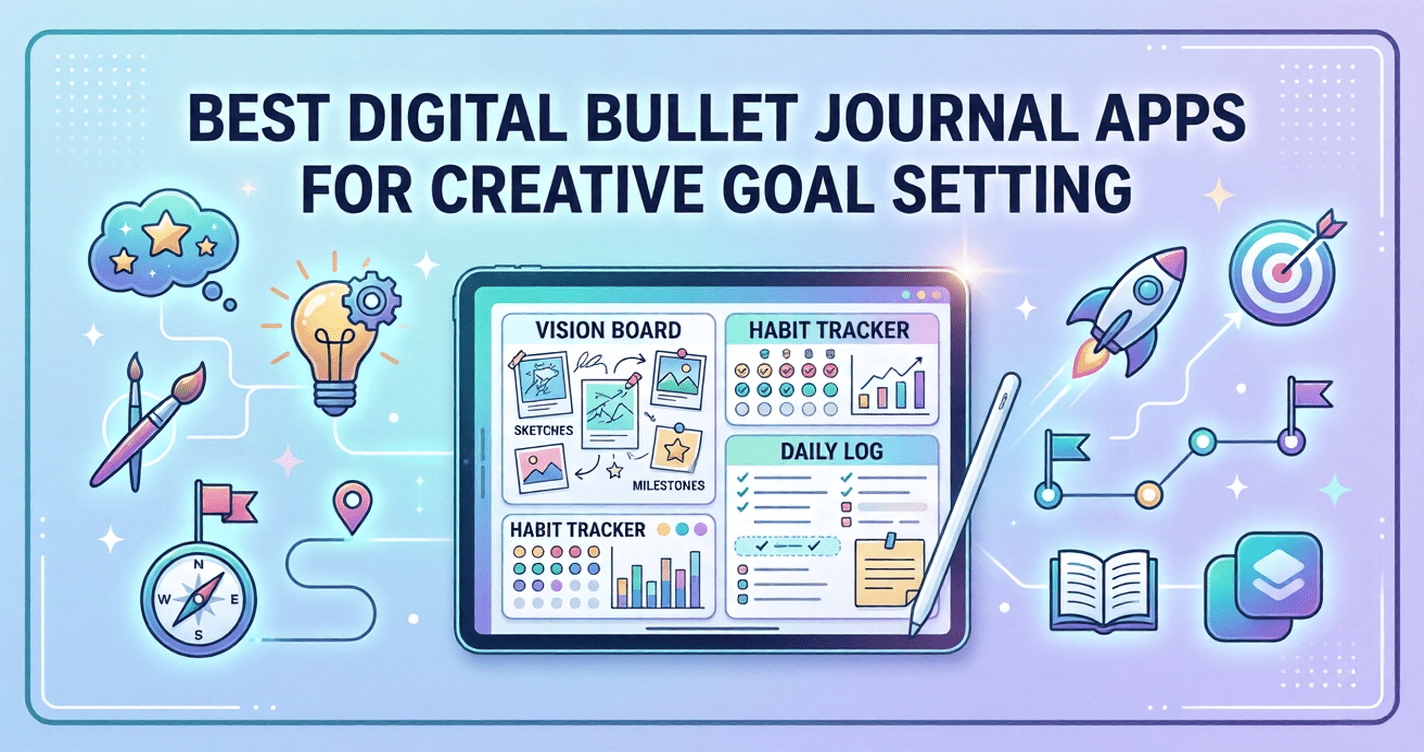
The best digital bullet journal apps for creative goal setting include Notion, GoodNotes, Obsidian, Bearbook, and Apple Notes — each offering a different balance of structure, flexibility, and visual design. The right choice depends on whether you prioritize freehand drawing, template systems, or linked goal tracking. Most top options are available on both iOS and Android, with strong free tiers.
Scattered sticky notes, half-filled paper planners, and goal lists that disappear by February — sound familiar? If you’ve ever felt like your ambitions deserved a better home than a forgotten notebook, you’re not alone. Millions of people are turning to digital bullet journal apps to bring order to creative chaos while keeping the visual, personal feel of traditional journaling alive.
Digital bullet journaling blends the flexibility of analog journaling with the power of modern apps — searchable entries, cloud sync, templates, and cross-device access. Whether you’re tracking habits, planning projects, or mapping out a long-term vision, the right app transforms your goals from vague intentions into visible, actionable plans.
This guide covers the best apps available for iOS, Android, and desktop — including strong free options — so you can find the perfect match for your creative goal-setting style.
The bottom line: The best bullet journal app isn’t the most feature-packed — it’s the one you’ll actually open every day.
Table of Contents
What Is a Digital Bullet Journal App?
A digital bullet journal app is a note-taking or planning tool designed to replicate — and often enhance — the rapid logging, indexing, and collection systems popularised by the analog Bullet Journal Method. Unlike static paper journals, digital versions allow you to rearrange, search, link, and template your entries with ease.
The core elements users look for include rapid logging (quick task/event capture), custom spreads, habit tracking, goal boards, and cross-platform sync. The best apps don’t force a rigid structure — they give you a canvas that flexes to your workflow.
What to Look for in a Digital Bullet Journal App
Before diving into specific apps, it’s worth understanding the features that separate a great digital bullet journal from a basic note-taking tool.
Flexibility and customisation matter most. A bullet journal lives or dies by its ability to adapt to your system. Look for apps that support custom templates, free canvas layouts, or block-based pages.
Handwriting and stylus support is essential for iPad and Android tablet users who want the tactile feel of pen-on-paper with the benefits of digital. Apps like GoodNotes and Notability are built around this.
Cross-platform availability ensures your journal goes where you go — phone, tablet, desktop. Check whether the app has a strong iOS and Android presence if you switch devices.
Free tier quality varies wildly. Some apps offer a genuinely useful free plan; others lock core features behind a paywall. We’ve noted this for every app below.
Key insight: The best bullet journal app for you is the one that matches your input style — whether that’s typing, drawing, or a hybrid approach.
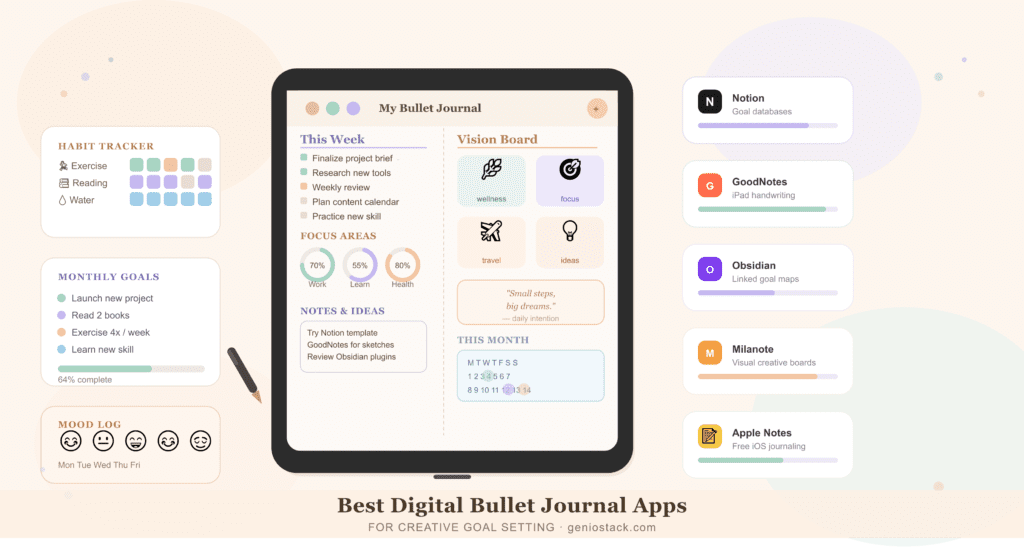
Best Digital Bullet Journal Apps for Creative Goal Setting
1. Notion — Best for Linked Goal Systems
Notion is one of the most versatile digital bullet journal platforms available. Its block-based editor lets you build everything from a simple daily log to a complex goal-tracking database linked across multiple pages.
What makes it stand out for goal setting: Notion’s relational databases allow you to link your habit tracker to your monthly goals, which connect to a yearly vision board — all within the same workspace. Templates from the community (Notion Template Gallery) make setup fast even for beginners.
Platforms: Web, iOS, Android, macOS, Windows Free tier: Generous — unlimited pages for personal use Best for: Writers, planners, and entrepreneurs who want structured goal systems
In practice, Notion works best when you invest a little time in setup. Users who take an hour to build their “goal dashboard” often report sticking with it far longer than simpler apps.
Pros:
- Highly customisable with databases, boards, and calendars
- Excellent free plan
- Active template community
- Cross-platform with real-time sync
Cons:
- Steeper learning curve than simpler apps
- No native handwriting support (not ideal for stylus users)
- Can become overwhelming without a clear structure
2. GoodNotes 5 — Best Digital Bullet Journal App for iPad Free Drawing
GoodNotes is the gold standard for handwritten digital journaling on iPad. If you love the visual, hand-drawn aesthetic of traditional bullet journals but want the convenience of digital, GoodNotes is unmatched.
What makes it stand out: You can import your own custom templates (PDF format), annotate freely with your Apple Pencil, and organise spreads in folders like a real notebook. The handwriting search feature — which lets you search your own handwritten notes — is genuinely impressive.
Platforms: iOS, macOS (no Android support) Free tier: GoodNotes 5 is free with a limit of 3 notebooks; GoodNotes 6 offers a subscription model Best for: iPad users who want a handwritten bullet journal experience
Pros:
- Best-in-class Apple Pencil support
- Searchable handwriting
- Supports custom PDF templates
- Feels closest to real paper journaling
Cons:
- iOS and macOS only — no Android
- Subscription required for full access in newer versions
- Not ideal for typed journaling or database-style tracking
3. Obsidian — Best for Deep Goal Mapping and Linking
Obsidian is a markdown-based knowledge management app that has developed a passionate following among advanced bullet journalers. Its signature feature — the Graph View — visually maps connections between your notes, making it ideal for linking goals to habits, projects to outcomes, and ideas to actions.
What makes it stand out for creative goal setting: Obsidian’s Daily Notes plugin effectively creates a rolling bullet journal, while community plugins add habit trackers, Kanban boards, and calendar views. For users who think in systems and connections, it’s extraordinarily powerful.
Platforms: iOS, Android, macOS, Windows, Linux Free tier: Fully free for local use; sync and publish features are paid Best for: Power users, developers, and deep thinkers who want linked goal architecture
Pros:
- Completely free for local use
- Plugin ecosystem is vast
- Graph View shows connections between goals and notes
- Data stored locally (great for privacy)
Cons:
- High learning curve
- Requires plugin setup to reach full potential
- Interface is not visually creative out of the box
4. Bearbook (Bear) — Best Free Bullet Journal App for Minimalists
Bear is a beautifully designed markdown note-taking app that’s particularly beloved among iOS users for its clean aesthetics and elegant tagging system. While not a dedicated bullet journal app, its nested tags and streamlined interface make it an excellent lightweight option.
What makes it stand out: Bear’s hashtag-based organisation lets you create a fluid journal structure without rigid folders. Tags like #goals/fitness or #journal/weekly create automatic sub-collections. The typography is exceptional, making your journaling experience genuinely pleasant.
Platforms: iOS, macOS only Free tier: Available; sync across devices requires a paid subscription Best for: Apple ecosystem users who want a clean, distraction-free journaling space
Pros:
- Gorgeous, distraction-free design
- Flexible tag-based organisation
- Excellent Markdown support
- Strong free tier for single-device use
Cons:
- Apple ecosystem only
- No database or relational features
- Sync requires subscription
5. Milanote — Best for Visual Creative Goal Boards
Milanote is a visual workspace designed for creatives — and it shows. Unlike text-heavy apps, Milanote lets you build visual goal boards with images, links, notes, to-do lists, and drawings arranged on an infinite canvas.
What makes it stand out for creative goal setting: Think of it as a digital mood board that also functions as a planner. You can pin your vision board next to your weekly tasks, connect ideas with arrows, and create project flows that feel genuinely inspiring to look at.
Platforms: Web, iOS, Android, macOS Free tier: Available (up to 100 notes/images) Best for: Visual thinkers, creatives, and designers who want goal boards over grid layouts
Pros:
- Highly visual and flexible canvas
- Great for mood boards and creative planning
- Free tier is functional
- Easy drag-and-drop interface
Cons:
- Not suited for structured rapid logging
- Free tier is limited for heavy users
- Less powerful for text-heavy journalers
6. Apple Notes — Best Free Bullet Journal App for iPhone Users
Often overlooked, Apple Notes has quietly become one of the best free bullet journal apps for iOS users. With smart folders, checklists, tables, tags, and iCloud sync, it covers the basics beautifully — with zero cost.
What makes it stand out: The combination of Quick Note (instant capture from any screen), Tag system, and Smart Folders lets you build a lightweight but effective bullet journal system. For users already in the Apple ecosystem, setup takes minutes.
Platforms: iOS, macOS (web access via iCloud) Free tier: Completely free with iCloud storage Best for: iPhone and iPad users who want a zero-cost entry into digital bullet journaling
Pros:
- Free, pre-installed on all Apple devices
- Syncs instantly across Apple devices
- Supports checklists, tables, tags, and drawings
- Quick Note widget for rapid logging
Cons:
- Limited customisation compared to dedicated apps
- No Android or Windows support
- Not built for complex goal systems
App Comparison Table
| App | Best For | Free Tier | Platforms | Handwriting Support | Ideal Goal Style |
|---|---|---|---|---|---|
| Notion | Linked goal systems | ✅ Generous | All platforms | ❌ | Structured databases |
| GoodNotes | Hand-drawn iPad journaling | ✅ 3 notebooks | iOS, macOS | ✅ | Excellent Visual spreads |
| Obsidian | Deep goal mapping | ✅ Full local use | All platforms | ❌ | Systems thinkers |
| Bear | Minimalist journaling | ✅ Single device | iOS, macOS | ❌ | Clean text logs |
| Milanote | Visual creative boards | ✅ 100 items | Web, iOS, Android | ✅ | Basic Creative vision boards |
| Apple Notes | Free iPhone journaling | ✅ Completely free | iOS, macOS | ✅ | Basic Simple daily logs |
How to Set Up a Digital Bullet Journal for Creative Goal Setting
Setting up your digital bullet journal doesn’t require a complicated system. Here’s a practical starting structure that works across most apps:
- Create an Index page — a master list of your collections and where to find them.
- Build a Future Log — a simple calendar view mapping goals across the next 3–6 months.
- Set up a Monthly Log — your task list and events for the current month, reviewed weekly.
- Design a Daily Log — a rapid-capture space for tasks, events, and notes each day.
- Add goal-specific Collections — habit trackers, reading lists, project boards, or vision pages as needed.
- Link everything — use internal links, tags, or backlinks (depending on your app) to connect goals to actions.
In practice, the biggest mistake new digital bullet journalers make is over-designing their system before using it. Start simple — a daily log and one goal tracker — then build complexity only where you genuinely need it.
Digital vs. Paper Bullet Journal: Which Is Right for You?
For most people, the decision comes down to how you think and how you work. If your goals span multiple projects with interconnected tasks, a digital app wins. If journaling is a mindful, tactile ritual for you, paper might remain part of your practice — and that’s perfectly valid.
| Feature | Digital Bullet Journal | Paper Bullet Journal |
|---|---|---|
| Searchability | ✅ Instant search | ❌ Manual scanning |
| Visual creativity | ✅ Templates, images, boards | ✅ Full artistic freedom |
| Portability | ✅ Cloud sync, any device | ✅ No battery needed |
| Cost | Low to free | Low (pen + notebook) |
| Tactile feel | ❌ (unless stylus on tablet) | ✅ Natural |
| Backup & recovery | ✅ Automatic cloud backup | ❌ Irreplaceable if lost |
| Best for | Busy people, remote workers | Analog lovers, artists |
Key takeaway: Many people use a hybrid approach — a digital app for structured goal tracking and a small paper notebook for daily reflective writing.
Tips for Getting the Most Out of Your Digital Bullet Journal
Getting value from a digital bullet journal is less about the app and more about your habits. A few principles that consistently make the difference:
Review weekly, not just daily. The weekly review is where your bullet journal becomes a goal-setting tool rather than a to-do list. Schedule 15 minutes each Sunday to migrate tasks, assess progress, and set intentions.
Use templates strategically. Templates reduce friction. Create a reusable daily log template so setup takes seconds, not minutes. Most apps (Notion, GoodNotes, Obsidian) support template libraries.
Keep your index updated. An unindexed journal becomes an archive. Spend 30 seconds after creating a new collection to link it from your index page.
Don’t aim for perfection. The most effective bullet journals are messy. Crossed-out tasks, quick sketches, and half-formed ideas are part of the process — not evidence of failure.
For more productivity tools, templates, and app guides, explore the full resource library at Geniostack.com — a hub for creators and goal-setters looking to build smarter digital workflows.
External Resources
- The official Bullet Journal Method — The original system by Ryder Carroll, with guidance on rapid logging, migrations, and collections (opens in new tab)
- Notion’s Template Gallery — Hundreds of free bullet journal and goal-tracking templates for Notion users (opens in new tab)
- Obsidian’s Community Plugins — Browse the full plugin library including habit trackers, calendar views, and Kanban boards (opens in new tab)
- GoodNotes Template Resources — Official GoodNotes site with iPad journaling guides and template info (opens in new tab)
- Milanote’s Creative Planning Guide — Visual planning guides and creative board examples for goal-setters (opens in new tab)
Notion or Apple Notes are the best starting points for beginners. Apple Notes requires no setup and is free on all Apple devices, while Notion offers guided templates that replicate a bullet journal structure out of the box. Both have gentle learning curves and strong free tiers.
Yes — Obsidian (local use), Apple Notes, and Milanote (up to 100 items) are all genuinely free. Notion’s free plan is also very generous for personal use, covering unlimited pages and most core features without a subscription.
GoodNotes is the top choice for iPad, especially with an Apple Pencil. It supports custom PDF templates, searchable handwriting, and a layout that closely mirrors a real paper journal. For typed journaling on iPad, Notion or Bear are excellent alternatives.
Yes. Notion, Obsidian, and Milanote all have strong Android apps. GoodNotes and Bear are iOS/macOS only, so Android users should look to Notion or Obsidian for the most feature-complete experience on Android devices.
A digital bullet journal is structured around the Bullet Journal Method — rapid logging, migrations, collections, and intentional goal review — while a regular notes app is simply a storage tool. The difference lies in how you use it: any app can become a bullet journal with the right system applied to it.
Absolutely. Apps like Milanote, Notion, and GoodNotes are especially well-suited for creative goal setting because they support visual boards, custom layouts, image pinning, and freehand drawing. Creative goal setters often find digital tools more flexible than paper because they can rearrange, colour-code, and template their spreads instantly.
Apple Notes is entirely free for iOS users and includes tags, smart folders, checklists, and iCloud sync. For users who want more journaling structure, Notion’s free iOS app covers unlimited pages and templates — making it the best free option beyond what comes pre-installed.
Choosing the right digital bullet journal app comes down to three things: how you capture ideas, how you track goals, and which devices you use daily. There’s no universally perfect app — but there is a perfect app for you.
The key takeaways:
- For visual, hand-drawn creativity on iPad: GoodNotes is unmatched
- For structured, linked goal systems: Notion offers the deepest customisation with a strong free plan
- For a completely free, privacy-first setup: Obsidian or Apple Notes are excellent starting points
Whichever app you choose, the system matters more than the software. A consistent daily log and a weekly review will deliver more results than the most beautifully designed digital spread you never open.
Ready to explore more tools for smarter goal-setting and productivity? Browse the full collection of app guides and creative workflow resources at Geniostack.com →