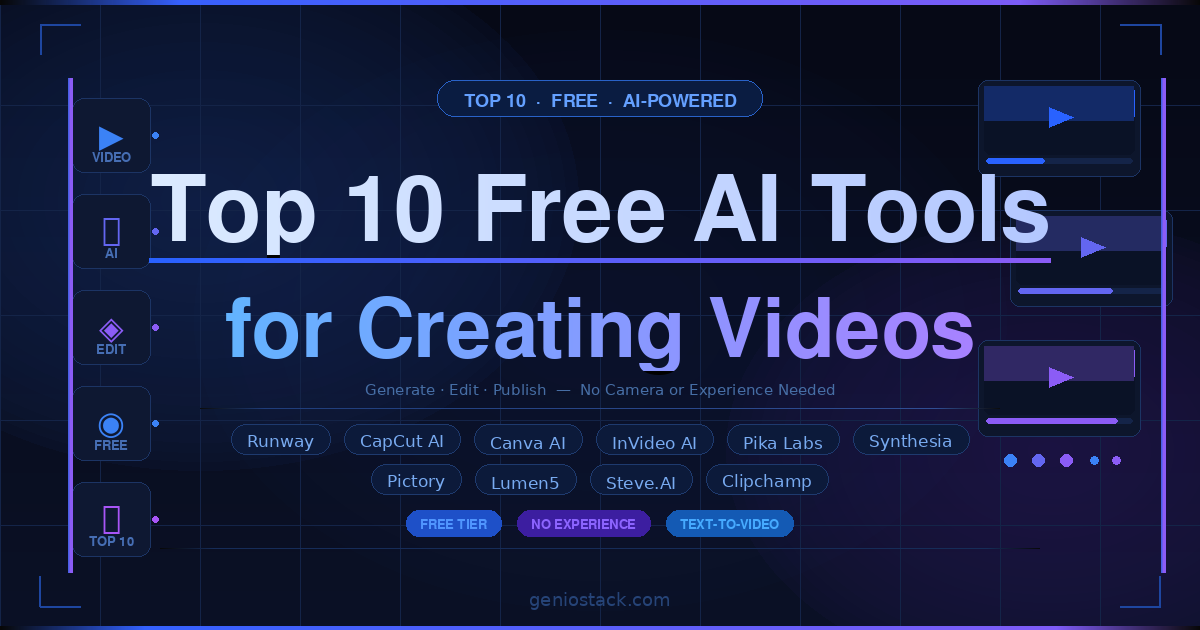
The best free AI video creation tools include Runway, CapCut AI, Canva AI, Pictory, InVideo AI, Pika Labs, Lumen5, Synthesia (free tier), Steve.AI, and Clipchamp. These platforms use advanced AI to turn text prompts, images, or existing footage into fully edited videos. They automate editing, scene creation, voiceovers, transitions, and visual enhancements, making it easy to produce professional-quality videos without prior editing skills or production tools.
You have a message, a product, or a story to tell — but producing a professional video feels like it requires a studio, a crew, and a budget you don’t have. Sound familiar? The good news is that free AI tools for creating videos have completely changed the game. What once took hours of editing and expensive software now takes minutes, thanks to AI models that can write scripts, generate visuals, add voiceovers, and publish — all from a browser or a smartphone app.
Whether you’re a solo creator, a marketer building social content, an entrepreneur pitching your brand, or a beginner just getting started, there is a free AI video tool built for your needs. Some are best for desktop workflows; others are optimised for mobile — including excellent options for Android users who need a capable app on the go.
This guide walks you through the ten best picks right now: what each tool does well, where it falls short, who it’s best for, and how to choose the right one for your specific use case. By the end, you’ll know exactly which tool to open — and be ready to create your first AI-generated video today.
Key promise: Every tool on this list has a genuinely usable free tier — no credit card required to get started.
Table of Contents
What Makes a Free AI Video Tool Worth Using?
Not every tool that calls itself an “AI video generator” earns that label. Before diving into the list, it helps to understand what separates genuinely useful free tools from the ones that waste your time with watermarks, slow exports, and paywalled features.
Free tier quality matters most. A tool is only useful if its free plan lets you create and export a complete video — even if with limitations on length or resolution. Several popular platforms restrict exports to 480p on free plans, which is effectively unusable for modern social media.
Look for these four markers when evaluating any free AI video tool:
- Text-to-video or script-to-video generation — converts written content into a video automatically
- AI voiceover or TTS (text-to-speech) — adds narration without recording a single word
- Auto-captioning — generates accurate subtitles, which Meta’s own research shows can increase engagement by up to 12%
- Export without a forced watermark — essential for any professional use
In practice, the best free AI video tools handle at least three of the four criteria above without requiring a paid subscription. Any tool that locks all four behind a paywall isn’t truly “free” in any meaningful sense.
The Top 10 Free AI Tools for Creating Videos
Each tool below has been assessed for free-tier usability, AI feature depth, output quality, and platform availability — including Android support where relevant.
1. Runway
Best Overall
Runway is one of the most capable AI video platforms available, offering text-to-video generation, AI background removal, video inpainting (removing or replacing objects in footage), and motion brush tools. Its Gen-2 and Gen-3 models produce some of the most coherent short-form AI video clips on the market. The free tier gives you 125 credits per month — enough to generate several short clips — and exports at up to 720p.
In practice, Runway’s text-to-video results are genuinely impressive for 4–5 second clips. For longer sequences, users typically chain multiple generations together. It’s primarily a browser-based tool, though a mobile app is available.
✓ Pros
- Industry-leading text-to-video quality
- Wide range of AI editing tools
- No watermark on free exports
- Active community and tutorials
✗ Cons
- 125 credits/month goes quickly
- Free clips limited to ~4 seconds
- Steep learning curve for beginners
Best for: Creative professionals, filmmakers, and marketers who want top-tier AI video generation.
2. CapCut AI
Best for Android
CapCut is widely regarded as the best free AI video generator app for Android — and for good reason. Originally launched as a mobile editing app, it now packs a full suite of AI features: script-to-video, AI avatars, auto-captions, background removal, smart highlights, and trending template matching. Everything works on the mobile app without a subscription.
For creators who primarily work on their phones, CapCut hits a sweet spot that desktop-first tools simply can’t match. The auto-caption feature is particularly accurate in multiple languages, making it one of the most practical tools for content creators posting to TikTok, Instagram Reels, or YouTube Shorts.
✓ Pros
- Excellent free Android & iOS app
- AI captions, avatars & templates
- No watermark on most exports
- Constant AI feature updates
✗ Cons
- Some AI features are credits-gated
- Data privacy concerns (ByteDance)
- Limited for long-form video
Best for: Mobile-first creators, TikTok/Reels content, and anyone seeking the best AI app to make videos for free on Android.
3. Canva AI (Magic Studio)
Best for Beginners
Canva’s AI suite — now branded as Magic Studio — brings AI video creation into the same interface millions of people already use for graphic design. Features include Magic Media (text-to-video), AI voiceover, auto-resize for different aspect ratios, and background removal. The free plan includes limited Magic Studio credits each month, which is enough to create polished short videos for social media.
For beginners, Canva’s biggest advantage is familiarity and template depth. If you can drag and drop, you can create a professional-looking video in under 10 minutes. The AI features lower the barrier further by writing scripts and generating visuals on demand.
✓ Pros
- Extremely beginner-friendly
- Massive template library
- All-in-one design + video
- Browser-based, no install
✗ Cons
- AI credits limited on free plan
- Video generation not as advanced as Runway
- Watermark on some exports
Best for: Beginners, small business owners, and educators creating short social or explainer videos.
4. Pictory AI
Best for Blog-to-Video
Pictory specialises in converting long-form written content — blog posts, articles, scripts — into short, shareable videos automatically. Paste a URL or text, and Pictory selects relevant stock footage, adds captions, and syncs AI voiceover in minutes. The free trial allows three video projects with a watermark; after that, a paid plan is required — making it one of the more limited free tiers on this list.
That said, for content marketers repurposing existing written content into video, Pictory’s workflow is genuinely faster than any manual alternative. The output quality for article-to-video is among the best available.
✓ Pros
- Article/blog-to-video pipeline
- Auto stock footage matching
- AI script summarisation
✗ Cons
- Only 3 free videos (with watermark)
- Limited creative control
- No Android app
Best for: Content marketers, bloggers, and SEO teams repurposing written content into video.
5. InVideo AI
Best for Marketers
InVideo AI lets you generate complete videos from a text prompt: describe your video, choose a style, and the AI writes the script, selects footage, adds voiceover, and assembles the timeline. The free plan includes 10 AI video generations per week with a watermark. Remove the watermark with any paid plan, but for testing and low-volume use, the free tier is genuinely functional.
InVideo’s template library is one of the largest in the industry, with over 5,000 pre-built templates across categories like ads, explainers, YouTube intros, and social media posts. According to InVideo’s own documentation, the platform is used by over 7 million creators globally.
✓ Pros
- Prompt-to-full-video in minutes
- 5,000+ templates
- AI voiceover included
- 10 free AI videos/week
✗ Cons
- Watermark on free exports
- Free tier videos capped at 10 mins
- AI quality varies by template
Best for: Marketers, YouTubers, and entrepreneurs who need high-volume video output quickly.
6. Pika Labs
Best for Image-to-Video
Pika Labs is a text-to-video and image-to-video AI platform that gained popularity for the quality of its motion generation. Upload a still image and a text prompt, and Pika will animate it into a short video clip with remarkably natural movement. The free tier includes limited daily generations with no permanent watermark on standard exports.
Pika is particularly useful for illustrators, photographers, and designers who want to bring static images to life without learning complex animation software. The results work well for social media bumpers, animated thumbnails, and creative short-form content.
✓ Pros
- Excellent image-to-video motion
- Clean UI, easy to use
- Free daily generation credits
✗ Cons
- Limited to short clips (3–4 sec)
- No mobile app currently
- Occasional inconsistent outputs
Best for: Designers, illustrators, and photographers adding motion to still images.
7. Lumen5
Best for Social Media Clips
Lumen5 is a browser-based video creation platform that uses AI to convert text content into social media videos. Paste a blog post URL, and Lumen5 automatically extracts key sentences, pairs them with stock footage or images, and creates a ready-to-publish video. The free plan allows up to five video downloads per month at 480p with a Lumen5 watermark — limited but useful for low-volume needs.
Lumen5’s strength is its simplicity. For social teams that need to publish frequently without a dedicated video editor, it streamlines a workflow that would otherwise require multiple tools.
✓ Pros
- Very fast content-to-video workflow
- Good stock media library
- Simple drag-and-drop editor
✗ Cons
- Free exports at 480p only
- Watermark on free plan
- Limited customisation
Best for: Social media managers and small businesses creating regular content quickly.
8. Synthesia
Best for AI Presenters
Synthesia is one of the most recognised names in AI video, best known for its AI “avatar” presenters — realistic digital humans that read your script aloud on screen. The free plan allows the creation of one video up to three minutes long per month. While restrictive, it’s enough to evaluate whether the format works for your use case — particularly for training videos, product demos, or corporate communications.
Synthesia’s avatar quality is industry-leading. According to Synthesia’s platform page, the tool supports over 140 AI avatars and 120+ languages, making it well-suited for multilingual teams. The downside: the free tier is genuinely limited, and scaling requires a paid plan.
✓ Pros
- Highly realistic AI avatars
- 120+ language support
- No camera or microphone needed
✗ Cons
- Only 1 video/month on free plan
- Less creative flexibility
- Premium pricing for heavy use
Best for: HR, L&D teams, and B2B companies creating training or presentation videos at scale.
9. Steve.AI
Best for Animated Videos
Steve.AI focuses on converting scripts and blog content into animated or live-action videos using AI. It offers a distinctive animation mode that produces cartoon-style explainer videos — a format popular in education, SaaS demos, and non-profit communications. The free plan provides one video export per month with watermark restrictions.
Steve.AI’s AI script writer is a standout feature. Input a topic, and it generates a structured script with scene suggestions, which the video engine then assembles automatically. For teams creating explainer content without animation skills, this is a significant time-saver.
✓ Pros
- AI script writer included
- Animated video mode
- Text-to-video and blog-to-video
✗ Cons
- Free tier very limited (1 video)
- Animation style may feel dated
- Slower render times
Best for: Educators, SaaS companies, and non-profits needing animated explainer content.
10. Clipchamp (Microsoft)
Best Free Desktop Editor
Clipchamp is Microsoft’s free browser-based video editor, now integrated into Windows 11. While it’s less of a “generative” AI tool and more of an AI-assisted editor, it earns a place on this list for its genuinely unlimited free tier. You can create, edit, and export 1080p videos with no watermark, no credit system, and no export limits — something most competitors can’t match.
AI features include auto-captions (high accuracy), AI voiceover with natural-sounding voices, and smart filters. For users who want a traditional editing timeline with AI assistance rather than fully automated generation, Clipchamp is the most capable free option available.
✓ Pros
- Truly unlimited free exports at 1080p
- No watermark ever
- AI captions & voiceover
- Built into Windows 11
✗ Cons
- No text-to-video generation
- Limited stock media library
- Not available on Android
Best for: Windows users who want unlimited, watermark-free video editing with AI assistance.
Quick Comparison: Best Free AI Video Tools at a Glance
If you only try one tool today, start with CapCut AI (Android) or Runway (desktop). Both offer the strongest combination of free-tier usability, AI feature depth, and watermark-free exports without requiring a paid subscription to see real results.
How to Choose the Right Free AI Video Tool for Your Needs
With ten strong options, the decision comes down to three factors: your primary device, your content type, and how much creative control you need.
If You Work Primarily on Android or Mobile
CapCut AI is the clear winner. No other free tool matches its combination of mobile-first design, AI feature depth, and export quality. Canva also has a solid Android app, but CapCut’s AI toolset is broader for video-specific creation.
If You Want Fully Automated Text-to-Video
InVideo AI and Pictory handle the most automated pipelines — paste text or a URL, and the AI builds the video. InVideo is better for original scripts; Pictory excels at repurposing existing written content. Both are desktop/browser-based.
If You Need a Realistic AI Avatar or Presenter
Synthesia is the only free tool that generates convincing AI presenters from a script. The free tier is limited, but it’s the fastest way to evaluate whether the AI-presenter format fits your workflow — particularly for corporate or training content.
If You Want No Watermark and Unlimited Exports
Clipchamp is the only tool on this list that genuinely offers unlimited, watermark-free 1080p exports at no cost. The trade-off is that it doesn’t generate video from scratch — it’s an AI-assisted editor, not a generator.
Real-world scenario: A marketer creating weekly social media videos for a brand would use CapCut AI for mobile Reels content, InVideo AI for scripted YouTube shorts, and Clipchamp for polishing any longer-form desktop edits — all without spending anything.
How to Get Started: Creating Your First AI Video in 5 Steps
Regardless of which tool you choose, the workflow for creating your first AI-generated video follows a predictable structure. Here’s how to go from idea to finished video in under 30 minutes:
- Define your goal:Decide whether your video is meant to inform, sell, entertain, or educate. This choice will determine the right tool (e.g., Synthesia for training, CapCut for entertainment, InVideo for sales content).
- Write or input your script or prompt:Most AI tools accept either a full script or a brief text prompt describing the video concept. The more specific your input, the better the AI output.
- Select a template or generation style:Choose a visual style that matches your brand or platform. For social media, prioritise vertical (9:16) format; for YouTube, use 16:9.
- Review and edit AI-generated elements:AI output is a starting point, not a final product. Adjust captions, swap stock clips, tweak voiceover speed, and refine pacing before exporting.
- Export and publish:Choose your export resolution (720p is fine for most social platforms; 1080p is standard for YouTube). Export and publish directly or download for scheduling tools.
For deeper AI tool guides, tutorials, and comparisons across categories, the Geniostack resource hub covers the latest developments in AI-powered productivity and content creation.
Limitations to Know Before You Start
Free AI video tools are genuinely capable — but they have real constraints worth understanding before you build a workflow around them.
- Credit systems deplete quickly. Tools like Runway and CapCut AI use monthly credit systems. Heavy use will exhaust your free allocation within days, not weeks.
- Output length is often capped. Most free tiers limit individual video clips to under 60 seconds — which works for social media but not for long-form content.
- AI consistency isn’t guaranteed. Text-to-video models can produce inconsistent results from similar prompts. Expect to generate multiple outputs to find one you’re happy with.
- Copyright on AI-generated visuals varies. Some platforms claim rights to content generated on free plans. Review the terms of service for any tool you use commercially.
- Resolution constraints on free plans. Several tools cap free exports at 480p or 720p. For HD social content, confirm resolution limits before committing to a workflow.
The latest AI coverage from WIRED regularly tracks how these platforms evolve their free and paid tiers — useful to monitor if you’re deciding whether to upgrade.
Final Thoughts: Start Creating Today
Free AI tools for creating videos have reached a point where quality, speed, and accessibility are no longer trade-offs — you can have all three without paying a cent. The ten tools on this list cover every major use case, from text-to-video generation to AI-assisted editing to mobile-first creation.
Three takeaways worth remembering:
- CapCut AI is the best free option for Android users — no other mobile app comes close for AI video features at zero cost.
- Runway delivers the highest-quality AI video generation on a free tier, making it the go-to for creative and professional content.
- Clipchamp is the only truly unlimited, watermark-free option — ideal if you want to edit rather than generate from scratch.
The best time to start experimenting with AI video is now — the tools are free, the learning curve is shorter than you think, and the results will surprise you.
Ready to Level Up Your AI Toolkit?
Discover more in-depth guides, tool comparisons, and AI productivity resources — all in one place.
Explore AI Tools on Geniostack →