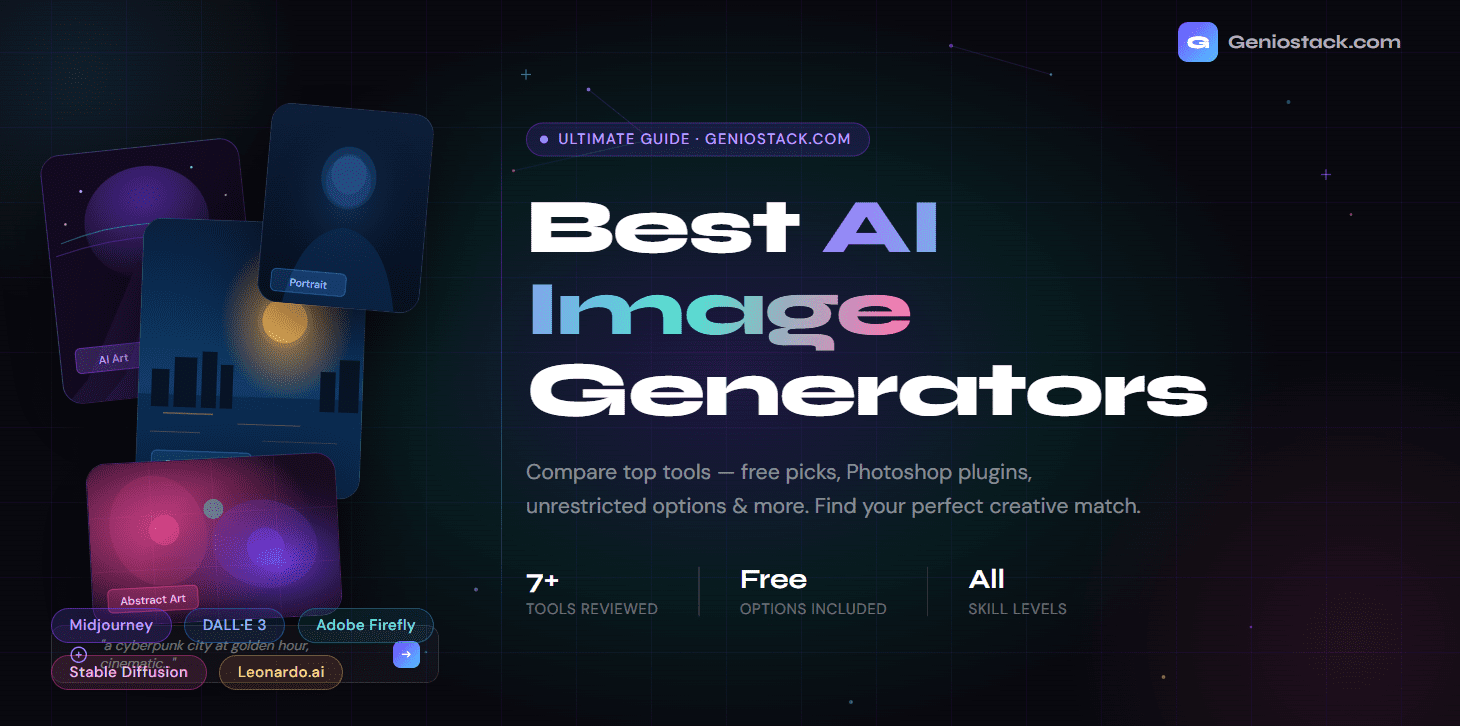
I still get a kick out of typing a random idea — like a neon-drenched cyberpunk alley at midnight or my dog as a Viking in watercolor — and seeing a polished image appear in seconds. AI image generators have advanced dramatically, turning what felt like science fiction a few years ago into a practical creative tool for designers, marketers, and hobbyists alike.
Whether you’re a designer, marketer, content creator, hobbyist, or just someone who wants to make something cool, AI image generators have fundamentally changed what’s possible without a professional design background. The market is now flooded with tools, each offering different strengths — some excel at photorealism, others at artistic styles, and some are built specifically to integrate with your existing creative workflow.
In After testing dozens of tools over the past year on real projects — from generating social media assets and concept art to Photoshop compositing and client mockups — I’ve narrowed down the best AI image generators that actually deliver consistent results. This isn’t a surface-level roundup: I focused on output quality in different styles, prompt reliability, real-world speed, commercial usability, and hidden limitations like content filters or token economics.
What Makes an AI Image Generator Worth Using?
Before we get into the list, it’s worth knowing what separates a great AI image generator from a mediocre one. Here’s what matters most:
- Output quality — Does it produce sharp, detailed, coherent images?
- Prompt understanding — How well does it interpret complex or nuanced descriptions?
- Speed — How long does generation take?
- Customization — Can you control style, aspect ratio, lighting, and composition?
- Pricing — Is there a free tier? Is the paid plan worth it?
- Restrictions — What content policies apply, and how do they affect your use case?
With those criteria in mind, here are our top picks.
My Testing Methodology and Personal Results
Over the last several months, I tested these tools using identical complex prompts across categories: photorealistic portraits, product mockups, fantasy illustrations, and text-heavy posters. I tracked generation time, consistency across 10+ runs, commercial licensing terms, and how well each handles edge cases like hands, text, or specific lighting. Results varied significantly — Midjourney and newer models excelled in aesthetics, while Firefly won for seamless Photoshop integration. This hands-on approach helped me identify which tools I actually return to for client work versus experimentation.
The Best AI Image Generators Overall
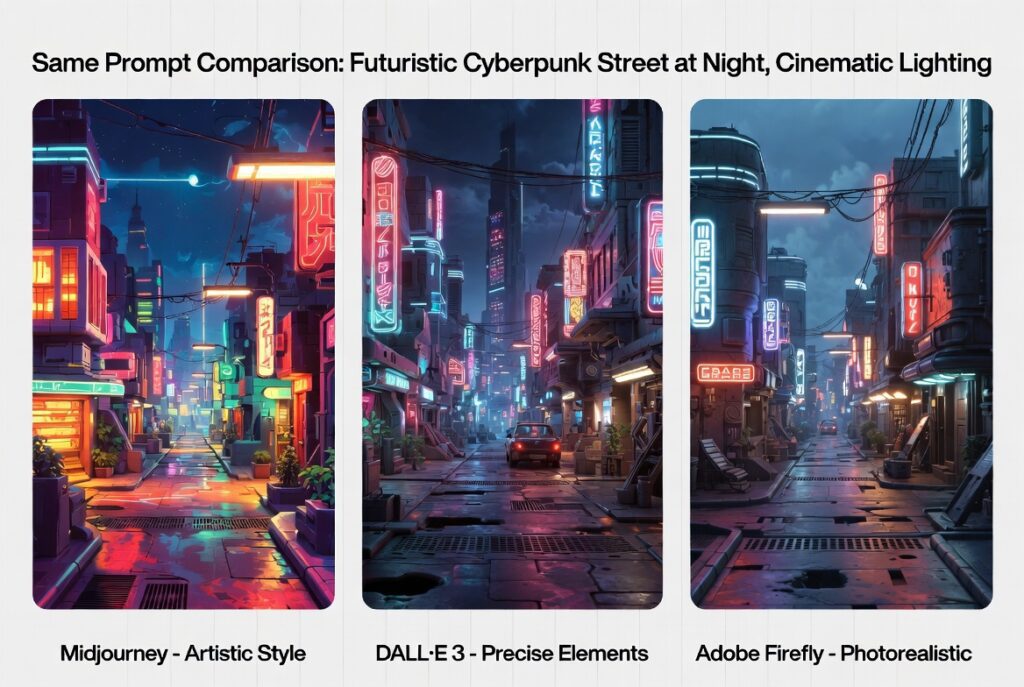
1. Midjourney — Best for Artistic Quality
I’ve used Midjourney heavily for concept art and branding work, and it remains my go-to for artistic quality. The v6+ models produce images with a cohesive, painterly style that stands out — rich textures, thoughtful composition, and a sense of artistic intent that many competitors still lack. It shines when you feed it detailed style references or remix variations.
Key features:
- Exceptional aesthetic quality out of the box
- Active community Discord server for prompts and inspiration
- Style reference and image weighting features (v6+)
- Supports aspect ratios, negative prompts, and variation requests
Pricing: No free tier currently; starts at ~$10/month for ~200 image generations.
Best for: Artists, illustrators, concept designers, and brand identity work.
Pro tip: Midjourney rewards descriptive, evocative prompts. Instead of “a mountain at sunset,” try “majestic Himalayan peak bathed in golden hour light, dramatic clouds, hyper-detailed, cinematic composition.”
2. DALL·E 3 (via ChatGPT) — Best for Prompt Accuracy
OpenAI’s DALL·E 3 is integrated directly into ChatGPT, making it incredibly accessible. What sets it apart is its ability to understand and render complex, multi-element prompts with remarkable accuracy — including text within images.
Key features:
- Near-perfect prompt adherence
- Native text rendering in images (a historically difficult feat for AI)
- Integrated with ChatGPT for conversational image refinement
- Safety-focused content policies
Pricing: Available on ChatGPT Plus (~$20/month); limited free access via Bing Image Creator.
Best for: Marketers, bloggers, and content creators who need specific scenes or infographic-style images.
According to OpenAI’s research blog, DALL·E 3 represents a significant leap in text-to-image alignment compared to its predecessors — it can follow detailed, nuanced instructions with much less prompt engineering required.
3. Adobe Firefly — Best AI Image Generator for Photoshop
If you’re a creative professional already working inside Adobe’s ecosystem, Adobe Firefly is a game-changer. It’s the engine powering Adobe’s Generative Fill feature in Photoshop, and it’s designed from the ground up for commercial safe use.
Key features:
- Seamlessly integrated into Photoshop, Illustrator, and Adobe Express
- Trained on licensed and public domain content — commercially safe
- Generative Fill lets you add, remove, or replace elements in existing photos
- Text-to-image, text effects, and vector recolouring features
Pricing: Included with Adobe Creative Cloud; a standalone free tier with credits is available.
Best for: Graphic designers, photo editors, agencies, and anyone already using Adobe tools.
What makes Firefly uniquely valuable as an AI image generator for Photoshop is that it doesn’t replace your creative workflow — it enhances it. You can select a blank sky in a photo, type “dramatic storm clouds,” and Firefly fills it in seamlessly, matching lighting and perspective.
4. Stable Diffusion — Best Free AI Image Generator (Open Source)
For those who want maximum control and zero cost, Stable Diffusion is in a class of its own. As an open-source model, it can be run locally on your own hardware or accessed through countless web-based front-ends.
Key features:
- Completely free and open-source
- Run locally with no internet connection
- Massive community of custom models and LoRAs (fine-tuned styles)
- Full control over every parameter: steps, CFG scale, samplers, seeds
Pricing: Free (requires hardware to run locally, or use free cloud interfaces like Automatic1111, ComfyUI, etc.)
Best for: Developers, power users, privacy-conscious creators, hobbyists who want deep customization.
Because Stable Diffusion runs on your own machine, it’s effectively a free AI image generator with no restrictions from a platform perspective — your content policies are your own to set. This is why it’s popular among researchers, educators, and artists working in experimental or mature content domains.
Stable Diffusion is now accessible even to non-technical users through platforms like Civitai, a community hub that offers thousands of fine-tuned models for every imaginable art style.
5. Leonardo.ai — Best Free AI Image Generator for Regular Use
Leonardo.ai stands out as my top recommendation for most people starting out because of its genuinely useful free tier (around 150 tokens daily, equating to 50+ generations depending on settings). I’ve generated game assets, illustrations, and marketing visuals on the free plan without frustration. The model library for specific niches like anime, photorealism, or 3D assets gives it an edge over pure generalists.
Key features:
- 150 free tokens daily (roughly 50+ images)
- Fine-tuned models for game assets, photography, illustration, and more
- Image-to-image, inpainting, and canvas editor tools
- Real-time generation feature for instant feedback
Pricing: Free tier available; paid plans from $10/month.
Best for: Game developers, indie creators, social media designers, and anyone wanting free daily generation.
Leonardo’s token-based system is more generous than most competitors. The platform has built a strong reputation for producing high-quality outputs across diverse styles without requiring an expensive subscription.
6. Ideogram — Best for Text-in-Images
One of the persistent frustrations with AI image generation has been its inability to render legible text inside images. Ideogram was built specifically to solve this problem.
Key features:
- Industry-leading text rendering accuracy
- Excellent for posters, logos, typography-heavy designs
- Clean, modern interface with style presets
- Free tier available
Pricing: Free tier with daily limits; Pro from $8/month.
Best for: Poster designers, social media content creators, and anyone needing readable text in AI-generated images.
7. Runway ML — Best for AI-Powered Creative Professionals
Runway sits at the intersection of image generation and video creation. While it offers robust text-to-image features, it’s particularly powerful for creative professionals who want to extend their work into motion.
Key features:
- Text-to-image and image-to-video generation
- Inpainting, background removal, and style transfer
- Used by filmmakers and creative studios professionally
- Collaborative workspace features
Pricing: Free plan available; paid plans from $12/month.
Best for: Filmmakers, video creators, creative studios, multimedia artists.
Best Free AI Image Generators: A Quick Comparison
| Tool | Free Tier | Daily Limit | Best Feature |
|---|---|---|---|
| Leonardo.ai | ✅ | ~150 tokens | Versatile models |
| Ideogram | ✅ | Limited | Text rendering |
| Adobe Firefly | ✅ | 25 credits/month | Photoshop integration |
| Bing Image Creator | ✅ | Boosted credits | DALL·E 3 powered |
| Playground AI | ✅ | 100 images/day | Photorealism |
| Stable Diffusion | ✅ | Unlimited (local) | Full control |
AI Image Generators for Photoshop: Going Deeper
The integration of AI image generators into Photoshop has been one of the most transformative developments for working designers. Here’s what’s currently available:
Adobe Firefly’s Generative Fill is the most seamless option — it lives natively inside Photoshop CC and understands the context of your existing image. Select any area, type a description, and it generates content that matches lighting, shadows, and perspective automatically.
DALL·E via API can be integrated into Photoshop using third-party plugins, allowing you to generate concept art or reference images without leaving your workspace.
Stable Diffusion with the Photoshop plugin (via Auto-Photoshop-StableDiffusion or similar community tools) gives power users the ability to pipe Stable Diffusion outputs directly into layers, which is especially useful for iterative design work.
For most designers, Adobe Firefly remains the top AI image generator for Photoshop because it’s built for exactly that environment — no setup, no API keys, just a context-aware generation button inside the app you already use every day.
Understanding AI Image Generators With No Restrictions
Content policies are a frequent pain point. Most mainstream tools (Midjourney, DALL·E 3, Firefly) block explicit, violent, or copyrighted material for good legal and ethical reasons. For unrestricted creative freedom or mature themes on legal platforms, local Stable Diffusion remains the strongest option since you control everything. Always prioritize legal and ethical use — generating harmful or illegal content involving minors is prohibited everywhere and can have serious consequences.
Regarding the best NSFW AI image generators specifically, this is a real use case for adult content creators and platforms operating legally. Tools like NovelAI, SeaArt, and certain Stable Diffusion fine-tuned models offer these capabilities with appropriate age verification and content controls. Always verify that any platform you use operates within the legal framework of your country.
Important: Regardless of the platform, generating content that depicts minors in any harmful context is illegal and universally prohibited. This is non-negotiable and applies to all AI image generators without exception.
Real-World Use Case Examples
For a recent blog header, I needed a cyberpunk cityscape. Midjourney delivered the most atmospheric result on the first try. For a client infographic requiring accurate text overlays, Ideogram handled it flawlessly where others failed. When editing existing product photos, Adobe Firefly’s Generative Fill saved hours compared to manual Photoshop work. These practical wins matter more than benchmark hype.
How to Get Better Results from Any AI Image Generator
No matter which tool you choose, these prompting principles will dramatically improve your outputs:
1. Be Specific About Style
Instead of “a portrait,” try “oil painting portrait in the style of Rembrandt, dramatic chiaroscuro lighting, dark background.”
2. Specify Technical Details
Include terms like “8K resolution,” “photorealistic,” “shallow depth of field,” “cinematic lighting,” “golden hour” to guide the model toward your vision.
3. Use Negative Prompts
Most platforms let you specify what not to include. Common additions: “blurry, low quality, extra limbs, watermark, text.”
4. Iterate, Don’t Restart
Use img2img, inpainting, or variation features to refine a good result rather than regenerating from scratch each time.
5. Reference Real Art Styles
Mentioning specific artistic movements (Impressionism, Art Nouveau, Brutalism), media types (watercolor, charcoal, 35mm film), or real artists (with appropriate ethical consideration) helps anchor the aesthetic direction.
According to Stability AI’s documentation, the most impactful improvements in output quality come from adding composition descriptors and lighting terms to otherwise simple prompts.
Choosing the Right AI Image Generator for Your Needs
Here’s a quick decision framework:
You want the highest quality artistic images → Midjourney
You need precise prompt interpretation → DALL·E 3
You work in Adobe Photoshop → Adobe Firefly
You want free, unlimited, full control → Stable Diffusion (local)
You want a generous free daily allowance → Leonardo.ai
You need text inside your images → Ideogram
You create video or multimedia content → Runway ML
Conclusion: The Right AI Image Generator Is the One You’ll Actually Use
The best AI image generator isn’t necessarily the most powerful one — it’s the one that fits your workflow, budget, and creative goals. Midjourney dazzles with artistic quality. DALL·E 3 executes prompts with precision. Adobe Firefly transforms how designers work in Photoshop. Stable Diffusion gives you ultimate freedom. Leonardo.ai makes it all accessible for free.
The landscape is evolving rapidly, and the tools available today would have seemed impossible just a few years ago. The smartest move is to start experimenting — most of these platforms offer free tiers specifically so you can test them before committing.
Ready to start creating? Pick two or three tools from this list, run the same prompt through each one, and see which output resonates with your aesthetic. That’s the fastest path to finding your perfect AI image generation workflow.
Leonardo.ai and Ideogram are among the top free AI image generators with meaningful daily free allowances. Stable Diffusion is completely free if you run it locally. Bing Image Creator (powered by DALL·E 3) is also free with a Microsoft account.
Adobe Firefly is the best AI image generator for Photoshop, offering native integration via Generative Fill in Adobe Photoshop CC. Stable Diffusion can also be connected via community-built plugins for more advanced workflows.
Stable Diffusion running locally is the most unrestricted option since you control your own content policies. Some specialized platforms also offer fewer content restrictions with age verification in place. Always ensure you’re operating within legal requirements.
For adult content creation on legal platforms, tools like NovelAI, SeaArt, and certain fine-tuned Stable Diffusion models (via platforms like Civitai) offer NSFW capabilities with appropriate age gating. Always verify the platform’s terms and your local laws before use.
Midjourney consistently produces the most aesthetically stunning results, making it a top choice for artists and designers. However, “best” depends on your use case — DALL·E 3 beats it for prompt accuracy, and Stable Diffusion beats it for freedom and cost.
It depends on the platform. Adobe Firefly is specifically designed for commercial use. DALL·E 3 (via paid ChatGPT plans) grants commercial rights. Midjourney grants commercial rights on paid plans. Always check the specific terms of service for each tool before using images commercially.
Most leading platforms train on licensed datasets or public domain content to reduce copyright risk (notably Adobe Firefly). Open-source models like Stable Diffusion have more complex training histories. For commercially sensitive work, Adobe Firefly or DALL·E 3 are the safest choices.